Tuesday, 23 October 2018

What is Log4J?

Log4j is a JavaSW library that specializes in logging. At the time of this writing, its home page is at http://logging.apache.org/log4j/docs/ . The Java library itself is available for download at http://logging.apache.org/site/binindex.cgi . The short manual at http://logging.apache.org/log4j/docs/manual.html does a great job covering many of the standard features of Log4j. At its most basic level, you can think of it as a replacement for System.out.println's in your code. Why is it better than System.out.println's? The reasons are numerous.

To begin with, System.out.println outputs to standard output, which typically is a console window. The output from Log4j can go to the console, but it can also go to an email server, a databaseW table, a log file, or various other destinations.

Another great benefit of Log4j is that different levels of logging can be set. The levels are hierarchical and are as follows: TRACE, DEBUG, INFO, WARN, ERROR, and FATAL. If you set a particular log level, messages will get logged for that level and all levels above it, and not for any log levels below that. As an example, if your log level is set to ERROR, you will log messages that are errors and fatals. If your log level is set to INFO, you will log messages that are infos, warns, errors, and fatals. Typically, when you develop on your local machine, it's good to set the log level to DEBUG, and when you deploy a web application, you should set the log level to INFO or higher so that you don't fill up your error logs with debug messages.

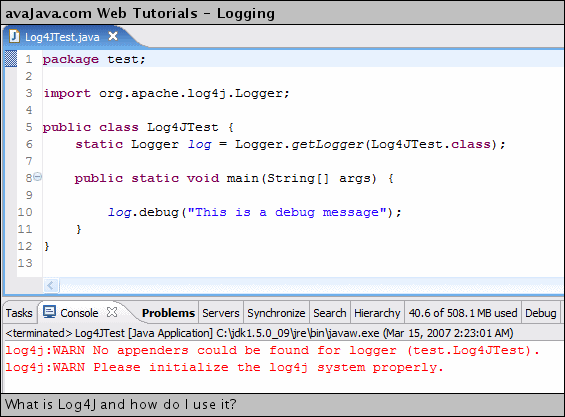
Here are some of the screenshots:


http://www.avajava.com/tutorials/lessons/what-is-log4j-and-how-do-i-use-it.html

What is JSP Taglib directive?

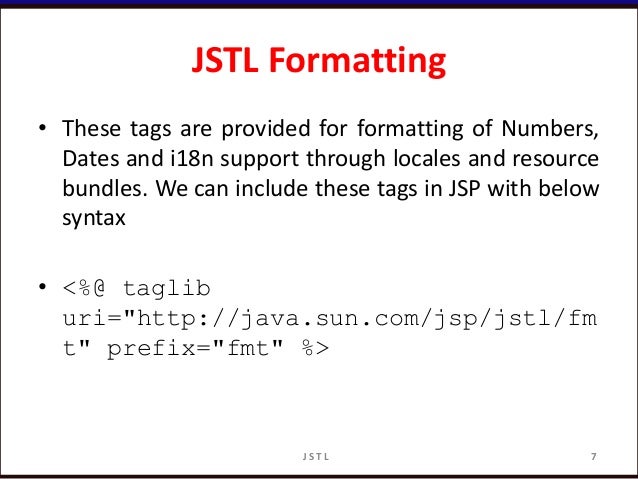
The taglib directive is used to define tag library that the current JSP page uses. A JSP page might include several tag library. JavaServer Pages Standard Tag Library (JSTL), is a collection of useful JSP tags, which provides mahy commonly used core functionalities. It has support for many general, structural tasks such as iteration and conditionals, readymade tags for manipulating XML documents, internationalization tags, and for performing SQL operations.

Let’s imagine you want to create a web page which needs you to write same code many times for each particular like in e commerce website, you might have to show price tags, size and color along with an image for each item.

You have to show 10 items or more in single page. Now, instead of writing the HTML, css code many times, you can create something tag-lib where you can create a method in a class which accepts a list of parameters and you can call that method.

You can embed html and css code in the method and you can design the UI of the page by just writing a single line of code by passing parameters to it.

Here are some of the screenshots:


https://stackoverflow.com/questions/27279217/what-is-a-taglib

What is Struts Framework?

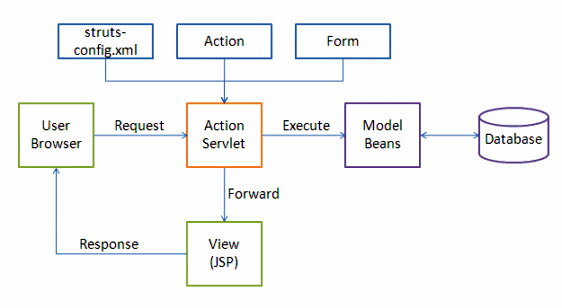
The Struts Framework made exclusive use of the MVC design paradigm, and its goal was to separate the "model," which is the application logic that communicates with the database, from the "view," which is the HTML pages presented to the client/user, and from the "controller," which is the instance that passes information between the model and the client's view. Struts already provides the controller, which is just a Java servlet known as ActionServlet that creates the templates to be displayed by the view. It is then the job of the Web application programmer to create the model code and, by extension, the central configuration file called "struts-config.xml," which binds together the model, view and controller.

As is the norm in applications that use the MVS model, requests from the client or view are sent to the controller as "Actions," which were previously defined in the configuration file. When the controller receives the request, it calls the corresponding Action class, which then interacts with the application-specific model code. As a result, the model returns an "ActionForward" string that informs the controller what output page to pass on to the view or client. The information that is passed between the view and the model is in the form of JavaBeans that is then looked up in a tag library for the view layer to read and write the Bean's contents without additional Java code; it acts as a translation table.

Here are some of the screenshots:


https://www.developer.com/java/ent/article.php/1495931/An-Introduction-to-Struts.htm

What is Spring Framework?

What you'd probably want in a web application with Spring -


  • Spring MVC, which with 2.5+ allows you to use POJOs as Controller classes, meaning you don't have to extend from any particular framework (as in Struts or Spring pre-2.5). Controller classes are also dead simple to test thanks in part to dependency injection
  • Spring integration with Hibernate, which does a good job of simplifying work with that ORM solution (for most cases)
  • Using Spring for a web app enables you to use your Domain Objects at all levels of the application - the same classes that are mapped using Hibernate are the classes you use as "form beans." By nature, this will lead to a more robust domain model, in part because it's going to cut down on the number of classes.
  • Spring form tags make it easier to create forms without much hassle.

In addition, Spring is HUGE - so there are a lot of other things you might be interested in using in a web app such as Spring AOP or Spring Security. But the four things listed above describe the common components of Spring that are used in a web app.

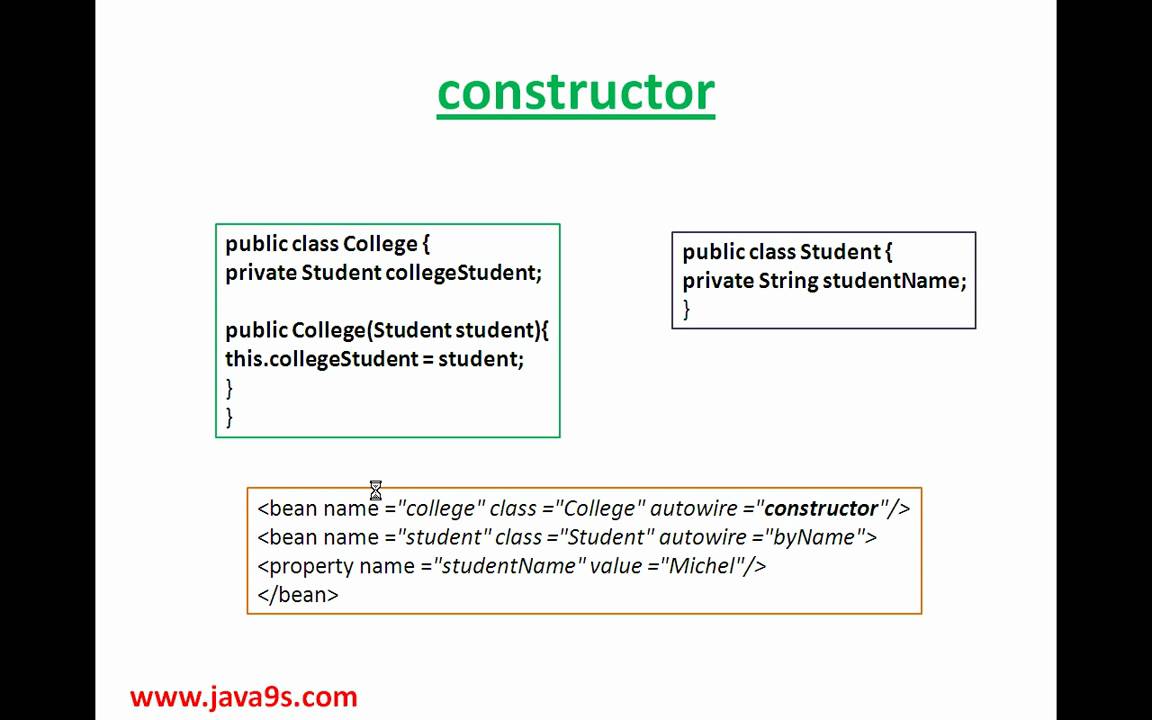
Spring is great for gluing instances of classes together. You know that your Hibernate classes are always going to need a datasource, Spring wires them together (and has an implementation of the datasource too).

Your data access objects will always need Hibernate access, Spring wires the Hibernate classes into your DAOs for you.

Additionally, Spring basically gives you solid configurations of a bunch of libraries, and in that, gives you guidance in what libs you should use.

Here are some of the screenshots:


http://www.methodsandtools.com/archive/archive.php?id=93

What is the JVM?

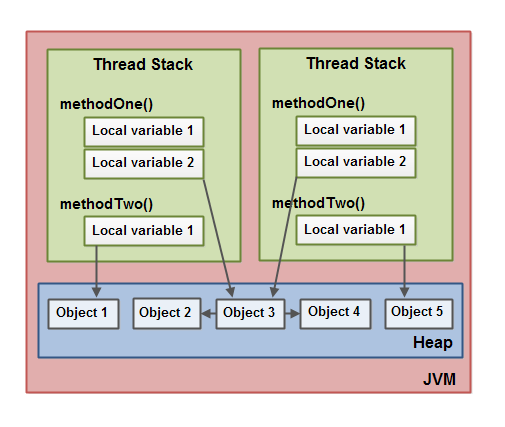
A Java virtual machine (JVM), an implementation of the Java Virtual Machine Specification, interprets compiled Java binary code (called bytecode) for a computer's processor (or "hardware platform") so that it can perform a Java program's instructions. Java was designed to allow application programs to be built that could be run on any platform without having to be rewritten or recompiled by the programmer for each separate platform. A Java virtual machine makes this possible because it is aware of the specific instruction lengths and other particularities of the platform.


The Java Virtual Machine Specification defines an abstract -- rather than a real -- machine or processor. The Specification specifies an instruction set, a set of registers, a stack, a "garbage heap," and a method area. Once a Java virtual machine has been implemented for a given platform, any Java program (which, after compilation, is called bytecode) can run on that platform. A Java virtual machine can either interpret the bytecode one instruction at a time (mapping it to a real processor instruction) or the bytecode can be compiled further for the real processor using what is called a just-in-time compiler.

Here are some of the screenshots:

https://www.javaworld.com/article/3272244/core-java/what-is-the-jvm-introducing-the-java-virtual-machine.html

What is Java Control Panel?

The Java Control Panel is a multipurpose control panel. It allows you to view and set a wide range of parameters controlling how Java runs on your computer. It lets you view and delete temporary files used for Java Plug-in, which allows Sun Java to be used by your web browser to run applets, and Java Web Start, which allows you to run Java applications over the network. It allows you to control certificates, making it safe to run applets and applications over the network.

It allows you to set runtime parameters for applets run with Java Plug-in and applications run with Java Web Start. It provides a mechanism for updating your version of Java so that you always have the latest. And it allows you to set options for debugging, desktop integration, applet handling, etc. The Java Control Panel includes the following separately viewable panels:

General
Security
Java
Update
Advanced

Here are some of the screenshots:


https://www.cs.mun.ca/java-api-1.5/guide/deployment/deployment-guide/jcp.html

What is WinRAR?

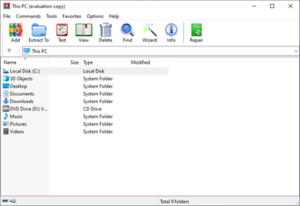
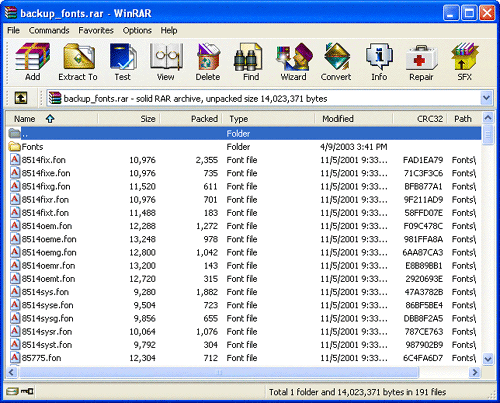
WinRAR is a compression tool. One of the application’s uses is to compress one or several files together. This is for reducing the size of the files for storage or transfer. WinRAR can compress the files in either ZIP or RAR file format. The program can also compress files into CAB, ARJ, LZH, AZE and ISO file formats. The WinRAR program may also unpack or extract files with a ZIP or RAR file format from the Internet.

Here are some of the screenshots:


http://www.mcgrathinfosolution.com/what_is_winrar.htm